From the blog
The HVAC Company Website That Books Service Calls (Not Just Sits There)
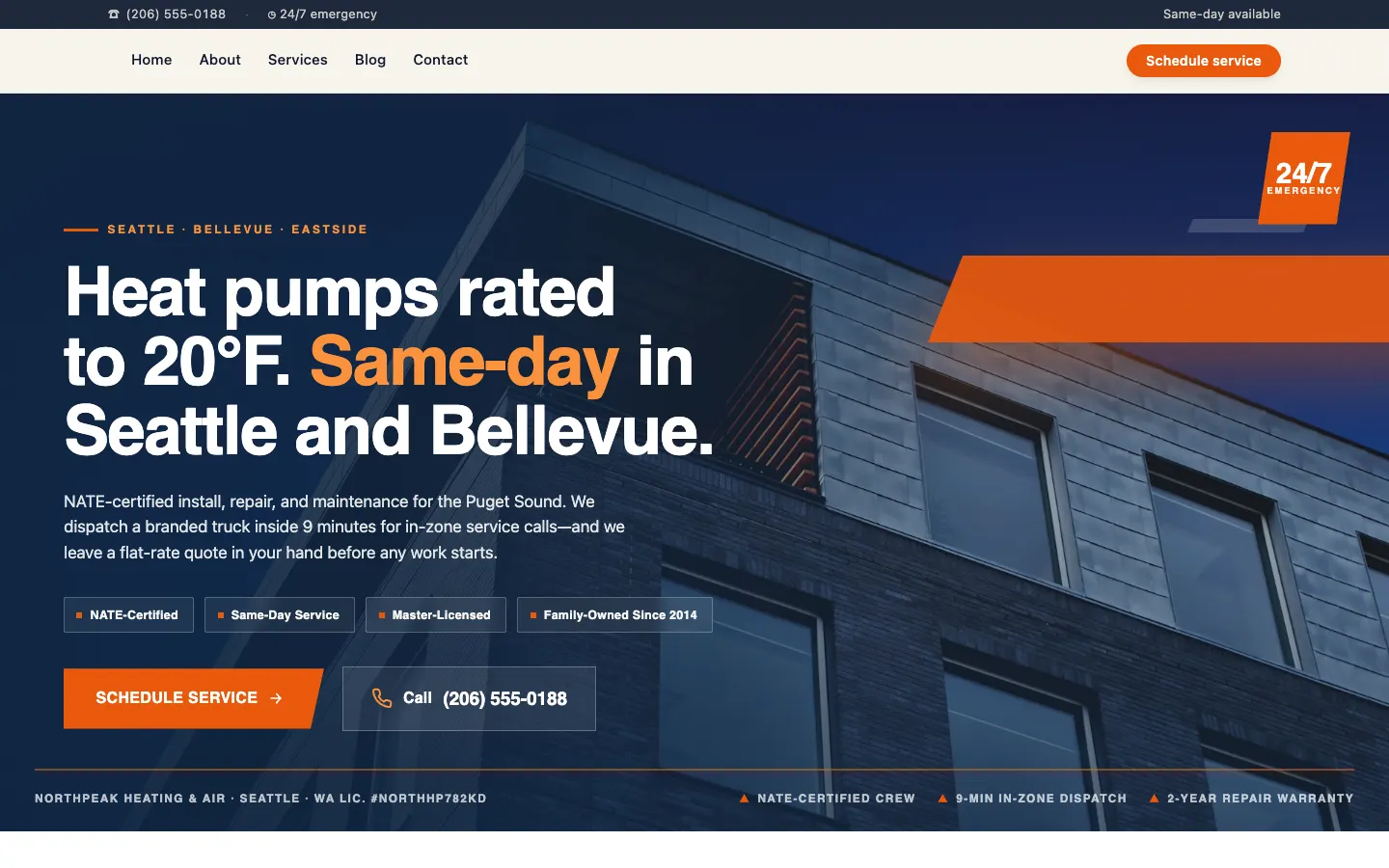
Run the numbers with us. Average residential service ticket in the Denver metro: $487. Close rate on a same-day inbound lead: roughly 62%. After-hours and weekend leads we see on a typical first-cold-snap weekend in October: 11 to 14. Multiply that out and a single broken contact form between Friday 5pm and Monday 8am is a $3,300 to $4,200 hole in the dispatch board. That is the actual cost of not having an HVAC company website that books service calls when the temperature drops. This post is about the math, the features we lean on, and what we wish we had known before we hired our last HVAC website designer.
The first cold snap is a load test, and most HVAC sites fail it
Every HVAC operator in Colorado knows the pattern. First overnight freeze in mid-October. Phones light up at 6:30am. The website gets two to three times its usual traffic for 72 hours. Same thing in late April when the first 85-degree day hits and every condenser that limped through last summer taps out.
This is the exact window where a slow website costs you the most money, because homeowners are price-shopping in panic mode. They are Googling "furnace not heating Denver" at 11pm and clicking the first three results. If your Lighthouse mobile score is a 38 and your contact form takes nine seconds to render on a Pixel 6 over LTE, you are not in the running.
We rebuilt the NorthPeak site on Workspace CMS last spring because the old WordPress stack could not handle a traffic spike without the booking widget timing out. The static pressure on a legacy CMS during a weather event is real, and the symptoms look like a system with undersized return ducts: everything slows, nothing fails outright, and you only notice the damage in next month's revenue. If you want to skip ahead, you can book a 20-minute tour of the admin and see the dispatcher-grade controls for yourself.
Why most HVAC websites fail Core Web Vitals on mobile
Open your own site on a phone. Not your iPhone on office wifi. A mid-range Android on a marginal LTE signal in a basement next to a 20-year-old air handler. That is your actual customer. If the Largest Contentful Paint is over 2.5 seconds, Google is downranking you in local results, and the homeowner is gone.
The usual culprits on HVAC sites:
- A 4.2MB hero photo of a smiling tech that nobody asked for
- Three chat widgets fighting for the main thread
- A page builder shipping 800KB of unused CSS on every route
- An embedded scheduling iframe that blocks render until it phones home
- Six tracking pixels the previous marketing agency installed and forgot
None of this is fixable from the WordPress admin without a developer. That is the real problem with hiring a generic agency: the site they hand you on day one is fast, and the site you actually run on day 90 is bloated, because every change accretes weight. The Site Audit for Core Web Vitals in Workspace CMS runs a 40-plus-check sweep on every page nightly, flags regressions before they hit production, and ships one-click remediation for the easy ones (oversized images, missing alt tags, render-blocking scripts). It is the difference between a site that gets faster over time and a site that quietly rots.
What to look for in an HVAC website designer in 2026
Here is the unpopular truth most agencies will not tell you: the visual design of an HVAC site barely moves the needle anymore. What moves the needle is page speed on mobile, schema accuracy, service-area coverage, the speed of post-launch changes, and whether ChatGPT and Perplexity recommend you when a homeowner asks. If your HVAC website designer is selling you mood boards and ignoring all five of those, walk away.
When operators ask us what to look for in an HVAC web design agency, our shortlist is short:
- Can they show you a live site with a 90+ mobile Lighthouse score? If their portfolio is full of pretty sites that score in the 40s, that is the site you are buying.
- What is their SLA on a 12-word edit? If the answer is "open a ticket and we will get to it," that is a freelancer with extra steps. Real HVAC website development companies publish an SLA in writing.
- Do they ship structured data per service page? Not just "we did SEO," but: do you get Service schema with a real areaServed array on every page, and can you edit it without a deploy?
- Do they track LLM visibility? A growing share of "furnace repair near me" queries are happening inside ChatGPT and Perplexity, not Google. An HVAC marketing agency that does not measure this is flying blind.
- Do they own your stack or do you? If the answer is "we build on our proprietary platform," you are renting your website. That is fine until you want to leave.
Workspace CMS, run by the 1Digital team, hits every one of these. The platform is theirs, but every site sits behind a proper managed-change workflow with documented SLAs, and migration off it is a normal export, not a hostage negotiation.
"Send a ticket; we ship the change" beats waiting two weeks for a freelancer
Here is the workflow most 5-truck shops are stuck in. The service-area page says you cover Castle Rock but you stopped running trucks down there in March. You email the freelancer. He responds Tuesday. Quotes Wednesday. Ships the change the following Monday. Elapsed time: 10 days. Cost: $275 for a 12-word edit.
That is not a website. That is a hostage situation.
The reason we moved to Workspace CMS is the operating model. Real humans. Real AI tools. Real changes shipped fast. We open a ticket from the admin ("add Parker and Lone Tree, drop Castle Rock, update the schema"), and the change is live inside two business days. Blockers ship same business day. No page-builder fighting, no HTML required.
UNLIMITED MANAGED CHANGES
Send a ticket. We ship the change.
Every Workspace CMS plan includes unlimited managed CMS edits. Essentials ships in 4 business days. Growth ships in 2. Premium ships in 12–24 hours. No per-edit fees. No "open a Jira" overhead. Every seasonal pricing change, every new service-area page, every storm-response landing page, every furnace-rebate banner - just describe what you need and our team builds it on your live site.
LocalBusiness and Service schema is how you get into the local pack
The three-pack on Google for "furnace repair near me" is where the money is. Getting in requires three things: a complete Google Business Profile, real local citations, and structured data on your site that matches both. The third one is where most HVAC sites quietly fail.
You need LocalBusiness schema on your homepage with your real NAP, hours (including the after-hours dispatch line), and payment types. You need Service schema on each service page (heat pump install, furnace repair, AC tune-up, ductwork, IAQ) with a proper areaServed array listing every zip code you actually run trucks to. You need FAQPage schema on any page with a Q&A block. And every one of these needs to update the same week you change your service area or add a tech, not next quarter.
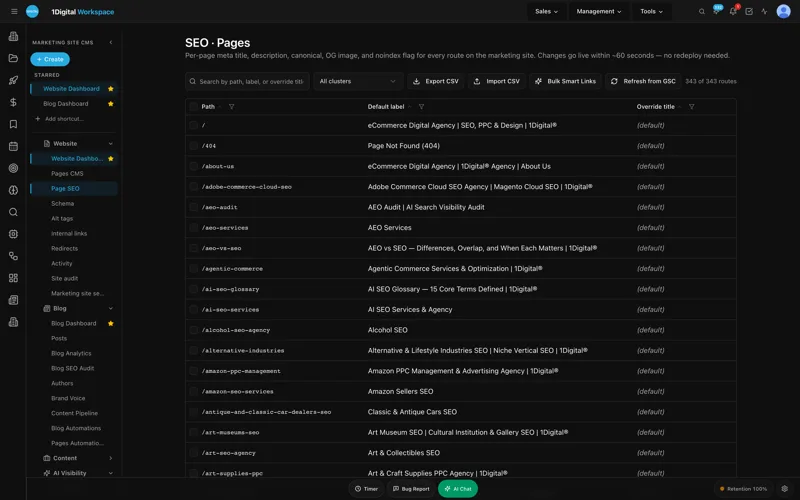
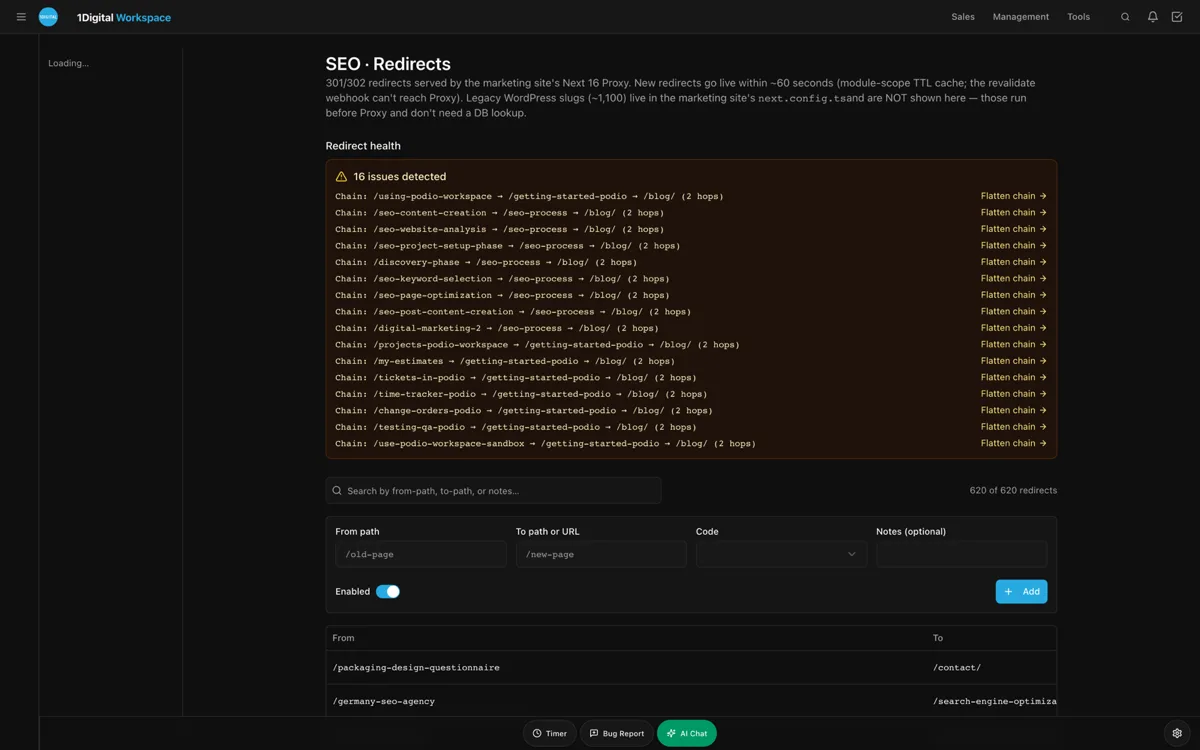
Workspace CMS ships a visual Structured Data (JSON-LD) Editor with live validation before publish, which is the feature that hooked our office manager during the demo. Adding a new service area is a field, not a deploy. Pair that with the Redirect Manager (301/302/307/308 with conflict detection and CSV import), and when we retire an old "swamp cooler installation" page that does not match our current service mix, the redirect to the evaporative cooling page does not collide with three other rules nobody remembered writing. Sitemap, robots.txt, and llms.txt regenerate on every publish so we never have to remember.
The features that earn their rent every month
Six months in, here are the pieces of the platform we actually open every week. Not the marketing checklist - the parts that move dispatch numbers.
- Multi-Location Storefront with ZIP search. One admin, two locations (Denver and our new Colorado Springs satellite), per-location hours, per-location dispatch numbers, and a homeowner-facing ZIP lookup that routes the lead to the right truck. This used to be a custom build. Now it is a toggle.
- Site Audit for Core Web Vitals. Lighthouse-grade scoring refreshed nightly with a flag the morning anything regresses. We caught a 600KB image one of our techs uploaded to a blog post before it hit Google.
- Structured Data (JSON-LD) Editor. Visual editor with live validation. LocalBusiness, Service, FAQPage, all editable per page, no deploy.
- Redirect Manager. Conflict detection has saved us twice. Both times it would have been a 24-hour SEO blackout on a high-value page.
- Analytics (GA4 + GSC unified). Traffic and ranking data on one screen. We stopped logging into three dashboards.
- AI Visibility Tracker. Tracks mentions across ChatGPT, Claude, Perplexity, and Gemini, with weekly digests. This is the feature we did not know we needed until it surfaced "high MERV filter recommendations Denver" as a query we were getting cited for.
- Internal-Link Rules. Anchor-text-aware automated linking. When we publish a new blog post about heat pumps, it gets linked from the heat-pump service page and the seasonal-rebate page without anyone touching HTML.
- AI Blog Generator + Meta Rewriter. Brand-voice-tuned, not generic GPT mush. Drafts the technician-voiced post; the office manager edits in 20 minutes; the meta tags auto-suggest with our actual NorthPeak voice.
You can browse the full set on the Workspace CMS features page, or look at the live demo gallery to see how other home-services brands have it wired up.

Pricing: which Workspace CMS tier fits an HVAC shop
We get asked this constantly by other operators at the ACCA meetings, so here is the honest breakdown.
Essentials at $89/month
Right call for a one-truck owner-operator who wants to self-manage. Unlimited CMS-managed changes on a 4-business-day SLA, AI Blog Generator, AI Visibility Tester on 5 prompts, 200 AI credits, every SEO control (redirects, robots, llms.txt, schema), Vercel hosting plus SSL and 100GB. Plenty for a shop under $500K in revenue who will do the content themselves.
Growth at $199/month
This is what a typical 5-truck operation like ours runs on, and the 1Digital team tells us it is what most home-services teams pick. Unlimited content edits, image swaps, location updates, and blog posts shipped on a 2-business-day SLA. Same-business-day blocker SLA, which matters when your phone tree goes down at 7am on the first hot day in May. 1,000 AI credits. 15-prompt AI Visibility tracking across ChatGPT, Claude, Perplexity, and Gemini, because homeowners genuinely do ask LLMs "who is a good HVAC company in Denver" now. Google reviews are built into the site, which on its own is worth what we used to pay a local SEO contractor.
Premium at $449/month
For multi-location (Denver plus Colorado Springs), or shops past $3M where the website is a primary lead channel. 12 to 24 hour change SLA. 4-business-hour blocker SLA. 2,500 AI credits, 30-prompt AI Visibility tracking, daily AI Site Audit, and LLM visibility digests so you know whether ChatGPT recommends you for "best heat pump installer in Centennial."
See the full breakdown on the Workspace CMS pricing page, or read through a couple of home-services case studies for what other operators landed on.
What changed at NorthPeak after the rebuild
Numbers from our first six months on the platform, with the usual caveat that these are our internal numbers, not a third-party study (call this "in our experience," not industry-average):
- Mobile LCP went from 4.1s to 1.3s. Bounce on the service pages dropped from 71% to 38%.
- Inbound web leads on first-cold-snap weekend went from 11 to 27. Same marketing spend.
- Time to update a service area page: 10 days to under 24 hours.
- We rank in the three-pack for "furnace repair Denver" and "heat pump installation Aurora," which we did not before.
- Our llms.txt is actually maintained, and we get cited by ChatGPT for "high MERV filter recommendations Denver" - a query we did not know to track until the AI Visibility Tracker surfaced it.
The website is not a brochure anymore. It is dispatch overflow.
The HVAC Company Website That Books Service Calls (Not Just FAQ
How long does it take to migrate from WordPress to Workspace CMS?
Most clients launch in 2 weeks. The 1Digital team handles the content migration, the redirect map from the old URL structure, and the schema setup. You spend maybe four hours total reviewing pages.
Will I lose my Google rankings during the migration?
Not if the Redirect Manager is used properly, which is the entire point of having one with conflict detection. We saw a brief two-week dip on three pages and a net gain on everything else within 60 days.
Can I keep my existing booking widget or do I have to use a new one?
Either. Workspace CMS plays nicely with ServiceTitan, Housecall Pro, Jobber, and the major scheduling embeds. The platform's job is to keep the page fast around your widget, not to replace your dispatch software.
How does the AI Visibility Tracker actually help an HVAC business?
It tells you whether ChatGPT, Claude, Perplexity, and Gemini recommend your shop when a homeowner asks "who installs heat pumps in Denver." If you are not in those answers in 2026, you are invisible to a growing slice of homeowners under 40.
What if I need a change at 9pm on a Saturday during a heat wave?
On Premium, blockers get a 4-business-hour SLA. On Growth, same business day. Either way, you open a ticket from the admin and a real human picks it up - no waiting for a freelancer to check email Monday morning.
If you run an HVAC shop and you are tired of watching the dispatch board go quiet because your contact form takes nine seconds to load on a phone in a cold basement, talk to the 1Digital team about a rebuild. An AI-first, SEO-first CMS, run by a working HVAC website designer bench that ships changes the same week you ask for them. Need a change? Just ask.
